
phaselimiter-gui v0.2.0 released — Master audio on your computer, without uploading it
Published
Contents
phaselimiter-gui v0.2.0 is here: master audio on your own computer without uploading your files. This desktop app brings the mastering engine behind AI Mastering (bakuage.com / aimastering.com) to your local machine.
Available for Windows, Mac (Apple Silicon and Intel), and Linux. It also exposes options unavailable in the online version, giving you finer control over the result.
Download phaselimiter-gui v0.2.0
Keep your audio on your computer
All audio processing happens locally. Unreleased tracks and other audio you would rather not upload can stay on your computer throughout mastering.
What makes this app useful
- No upload required. Master locally without sending your audio to a server.
- Windows, Mac, and Linux support. Both Apple Silicon and Intel Macs are supported.
- More control than the online version. Use additional options to fine-tune your master.
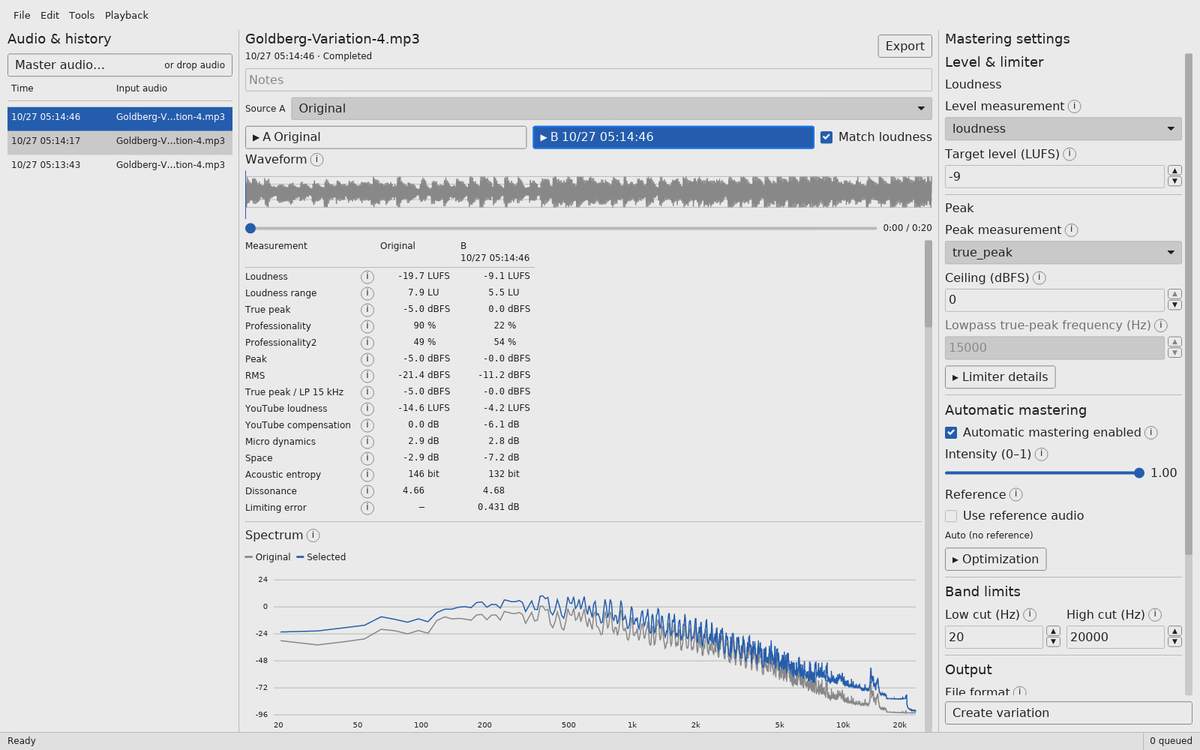
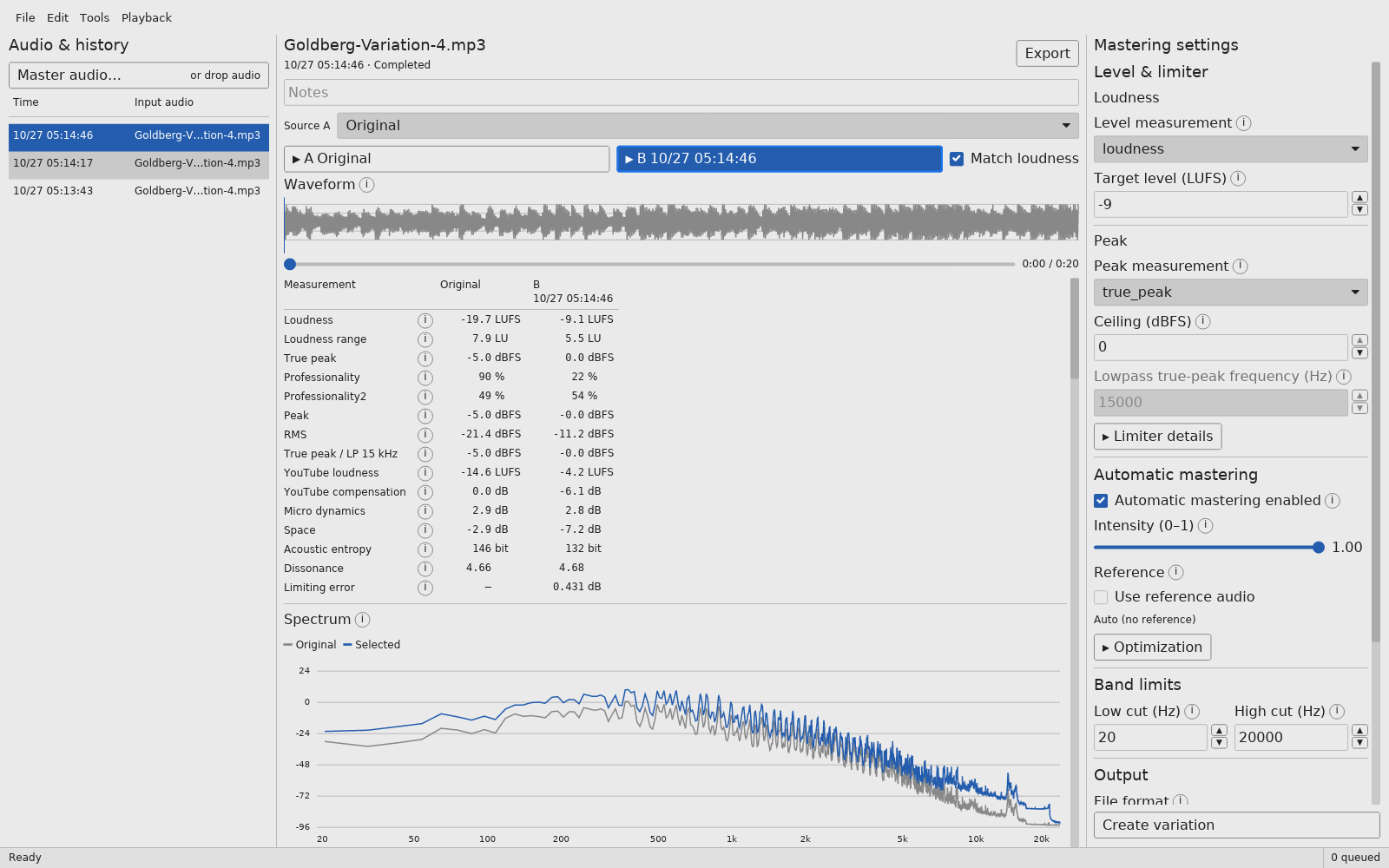
You can audition the result against the original and compare versions made with different settings. Start with the defaults, then adjust as needed.
Getting started
- Choose your settings. Check Mastering settings on the right. The defaults are a good starting point. To use a different output format, choose it under Output before processing.
- Add audio. Choose a file with Master audio…, or drag it onto the window to start processing. If you add several files, they are queued and processed in order.
- Listen and compare. Select a completed result and switch between A / B. Enable Match loudness when you want a comparison at a similar listening level.
- Try a variation. Change the settings and click Create variation to add a new result to your history.
- Export. Select the result you want and click Export. Set the destination folder in Tools → Options; the status bar shows where the file was saved. A number is added to the filename if a file with that name already exists.
A closer look at the features
Adjust loudness, peaks, and mastering intensity
Set the target loudness, peak ceiling, mastering intensity, and bass-preservation option. You can also choose a reference track so that processing targets its audio characteristics.
Try the default settings first and adjust after listening. Output formats are WAV, MP3, and AAC.
A/B playback with loudness matching
Play the original with A and the master with B, switching while you listen. Match loudness turns down the louder side to bring the two to a similar listening level. This helps you judge changes in tone and dynamics with less influence from the volume difference.
Click the waveform to seek, or drag across it to loop a section. You can repeatedly compare a chorus or a passage with troublesome bass. The selection affects playback only: mastering always processes the entire input.
Keep earlier results and compare versions
After changing the settings, click Create variation to process the original input again. Earlier results remain in your history. With Source A, you can also choose another result made from the same input as your comparison source.
The analysis view shows waveforms, spectra, loudness, true peak, and other measurements. Use the graphs and numbers alongside listening to choose your preferred result.
Inputs, results, and settings are saved automatically and restored when you reopen the app. Imported audio is copied into the app’s storage, leaving your original files unchanged. History takes up disk space, so remove results you no longer need.
Download and launch
In Assets on the v0.2.0 release page, choose the archive for your system.
| System | Download |
|---|---|
| Windows 10 version 1903 or later · x86-64 | Phaselimiter-x86_64-pc-windows-msvc.zip |
| macOS 14 or later · Apple Silicon | Phaselimiter-aarch64-apple-darwin.zip |
| macOS 14 or later · Intel | Phaselimiter-x86_64-apple-darwin.zip |
| Linux · x86-64 | Phaselimiter-x86_64-unknown-linux-gnu.tar.xz |
The mastering engine, FFmpeg, and analysis resources are included. You do not need to install Rust or a separate backend.
Extract the entire archive and keep the included files together. Moving only the executable will prevent it from finding the engine and resources.
- Windows: Run
phaselimiter-gui.exeinside the extractedPhaselimiterfolder. - macOS: Move
Phaselimiter.appto Applications and open it. This version is not notarized by Apple; if macOS blocks it, allow it in System Settings → Privacy & Security. - Linux: Run
phaselimiter-guiinside the extractedPhaselimiterfolder. Packages are built on Ubuntu 22.04 and require an X11 or Wayland desktop.
The x86-64 mastering engine requires an AVX-capable CPU. Phaselimiter-sources.tar.xz contains source code and build instructions; you do not need it to use the app.
Source code and further reading
The GUI source code is available under the MIT license. The bundled engine and libraries retain their respective licenses. See the v0.2.0 README for detailed settings and storage locations.